Plans and drawings
Open PDF, PNG and JPEG plans (up to 100 MiB), mark them up online, and link tasks and equipment to locations. Use Download files before leaving. DWF/DWFx requires a licensed, verified converter and is currently unavailable.
Everything a service business writes down about a job lives on the job: who asked, the work and equipment involved, what the technician did, what it cost and what it earned.
Publish separate booking hours for maintenance and for breakdowns, drawn from the availability you really have. Time off closes the slot. Dispatchers see assignments, status and return visits on one board.
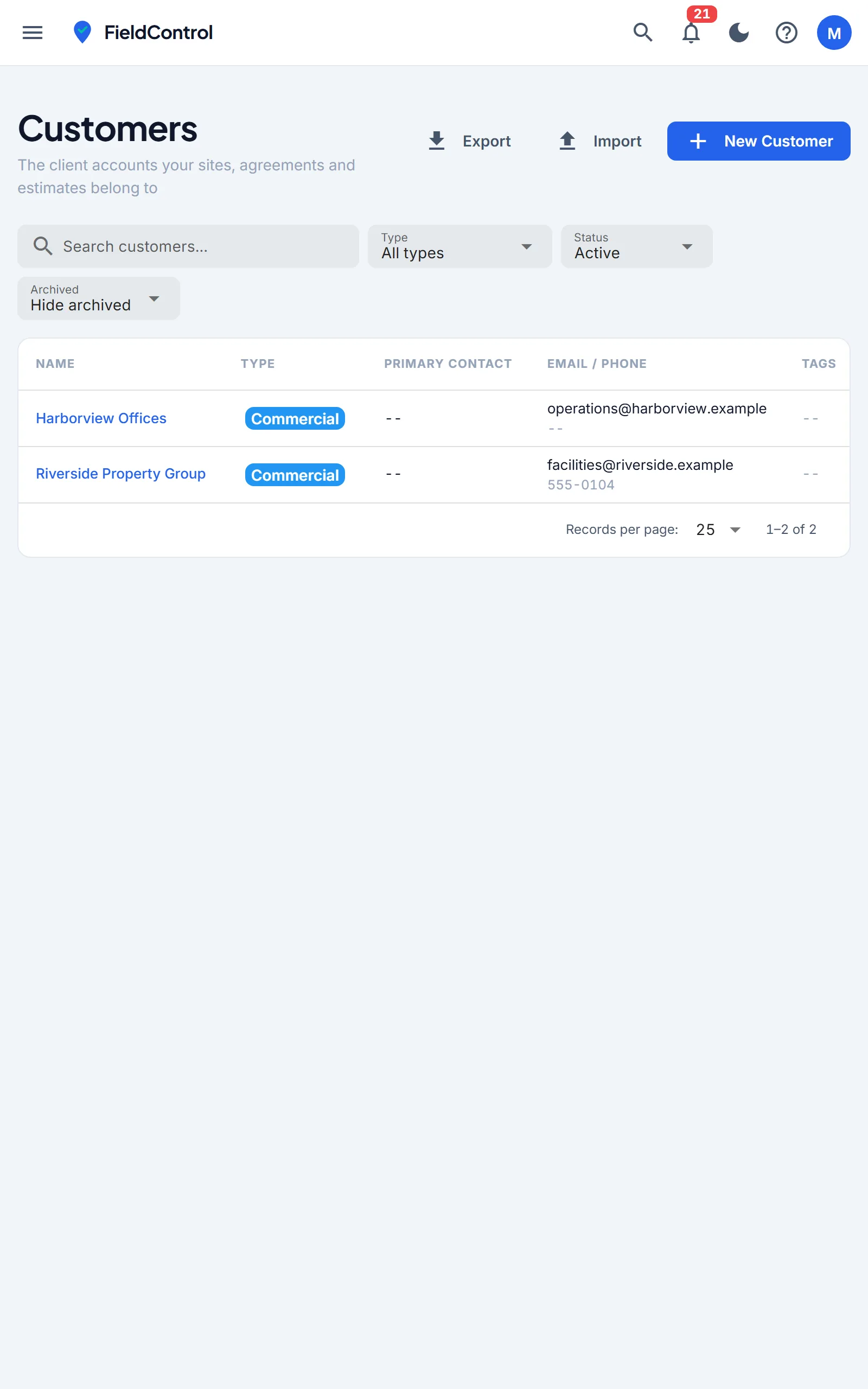
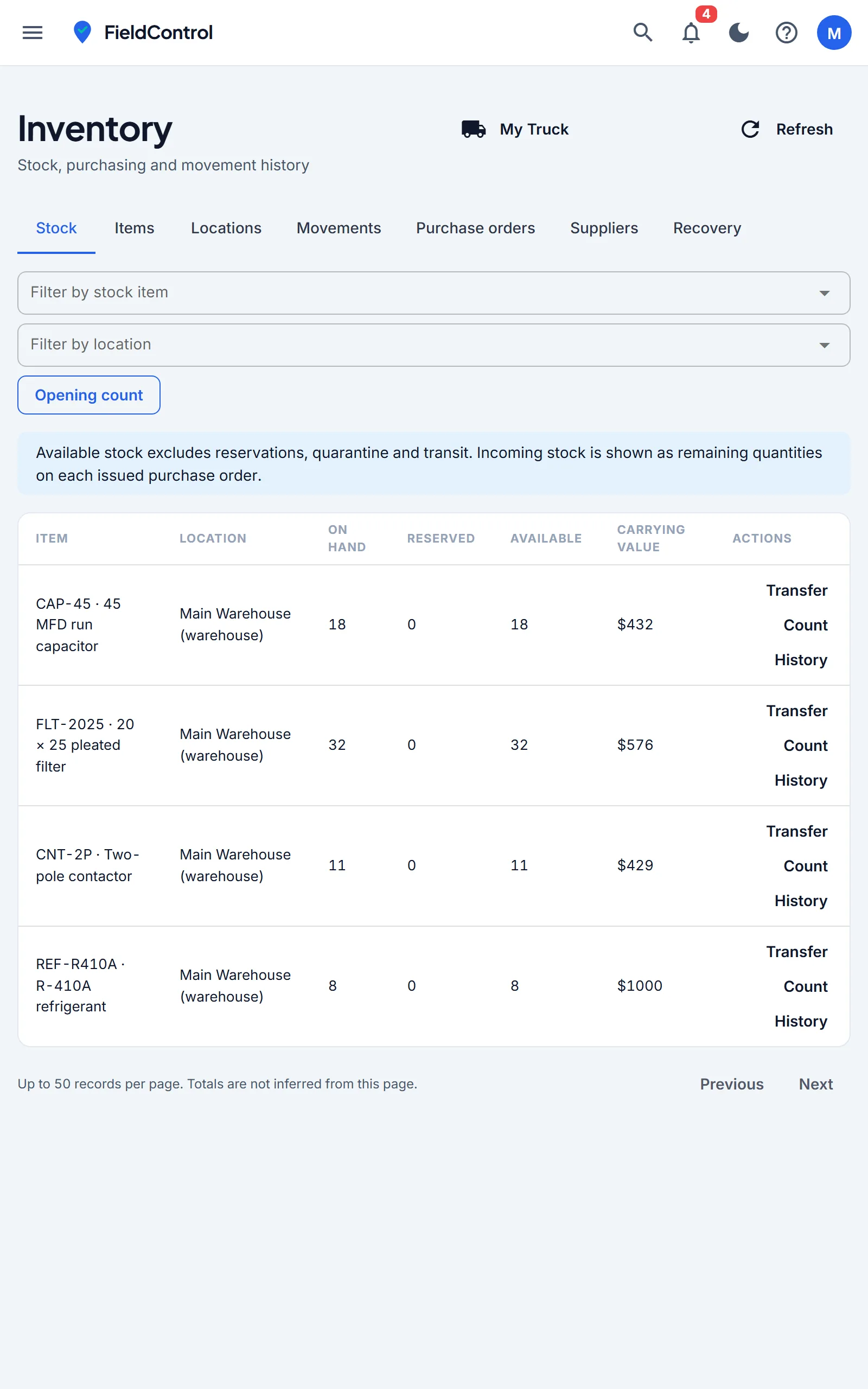
The job opens on the equipment and what happened to it last time. Readings, findings, photos, time and parts go on as the work happens, and the close-out checklist has to be finished before the job can be.
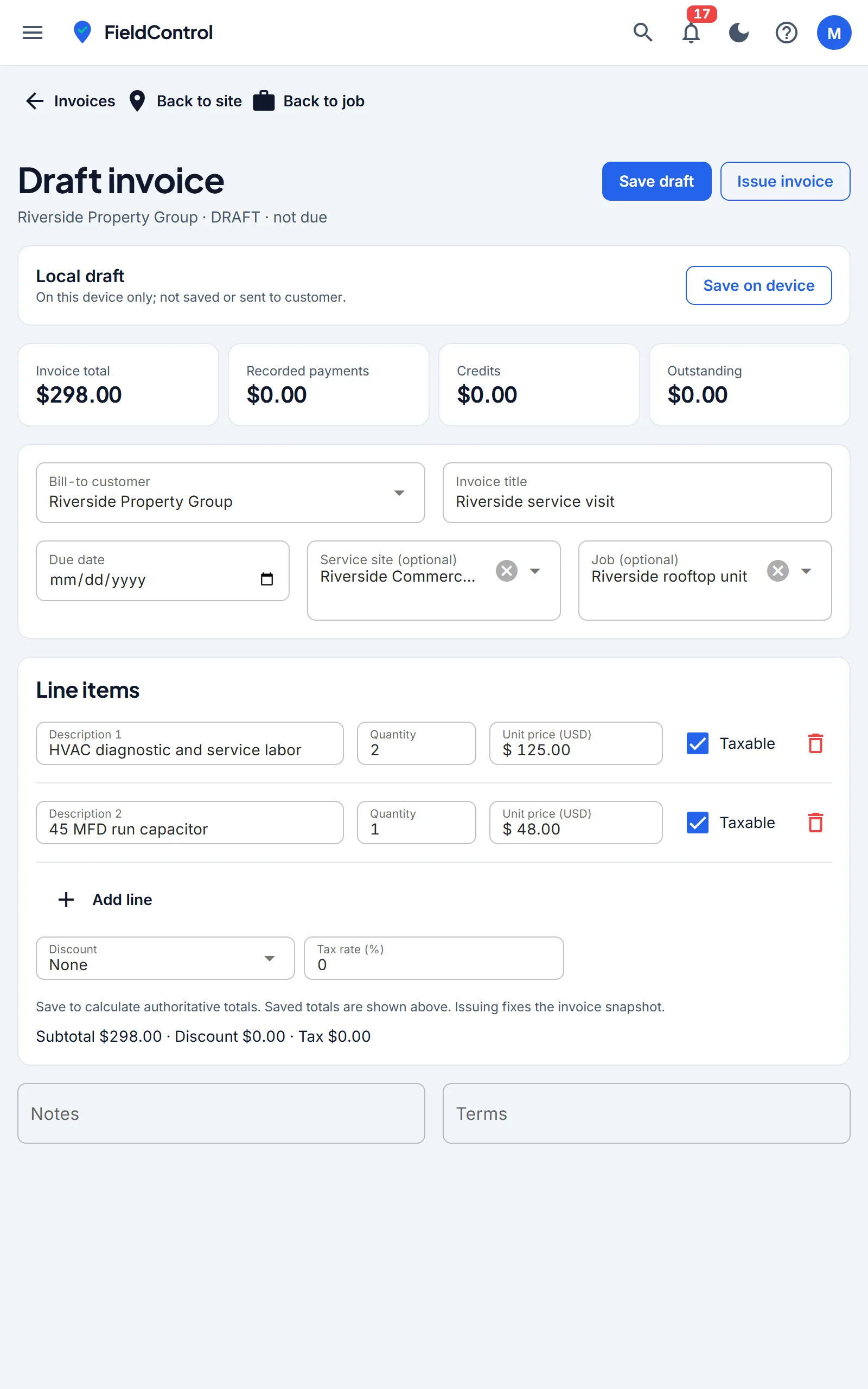
Use Download files while connected to prepare current drawings. Task and checklist edits can be retained offline; annotations and photo uploads need a connection. Issuing an invoice and taking a payment also need a connection. An unfinished invoice can be saved to the device and picked up later.
Keep maintenance and inspections tied to the equipment and site, with their own visit records. Edit procedures to suit different equipment, sites and service trades.
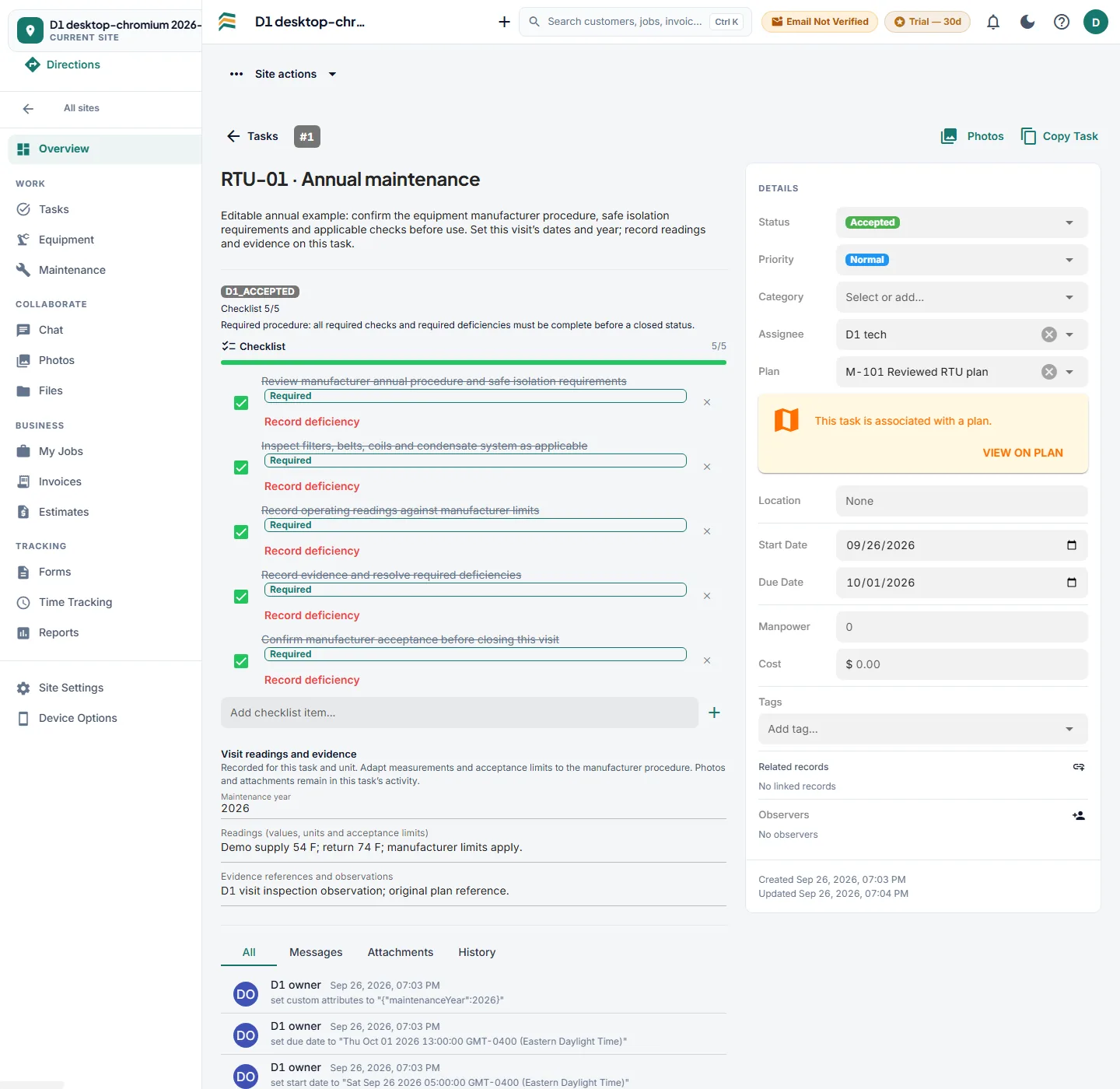
The illustrative RTU-01 maintenance example from 2026 keeps five required checks, the assigned technician, start and due dates, readings and evidence references together. RTU-02 has a separate checklist and history, so checking one unit does not finish the other.
For a recurring visit or the next year, copy the procedure into a fresh visit: new checklist items start unchecked, deficiencies reset, and the old visit’s readings, evidence and completion history stay with that visit. Set the new year and dates before work starts.
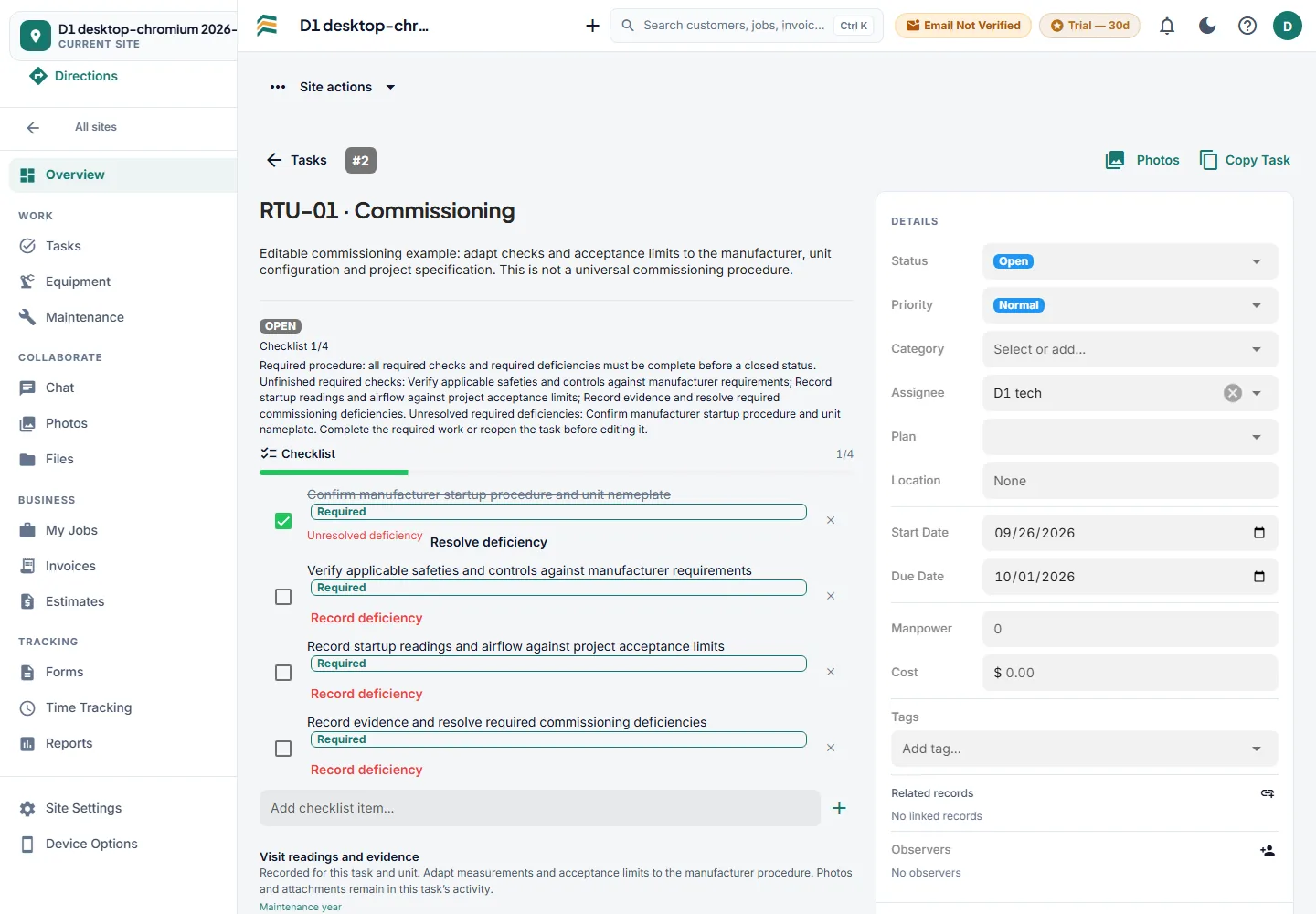
Track required checks and deficiencies for each equipment task. A checked box does not clear an unresolved deficiency.
The illustrative RTU-01 commissioning example has one of four checks complete, but its required nameplate/startup check still has a deficiency. The task stays open until every required check and required deficiency is resolved.
Keep startup readings, evidence references, assignments and dates with the work. Photos and file attachments are separate from written evidence references and require a connection.
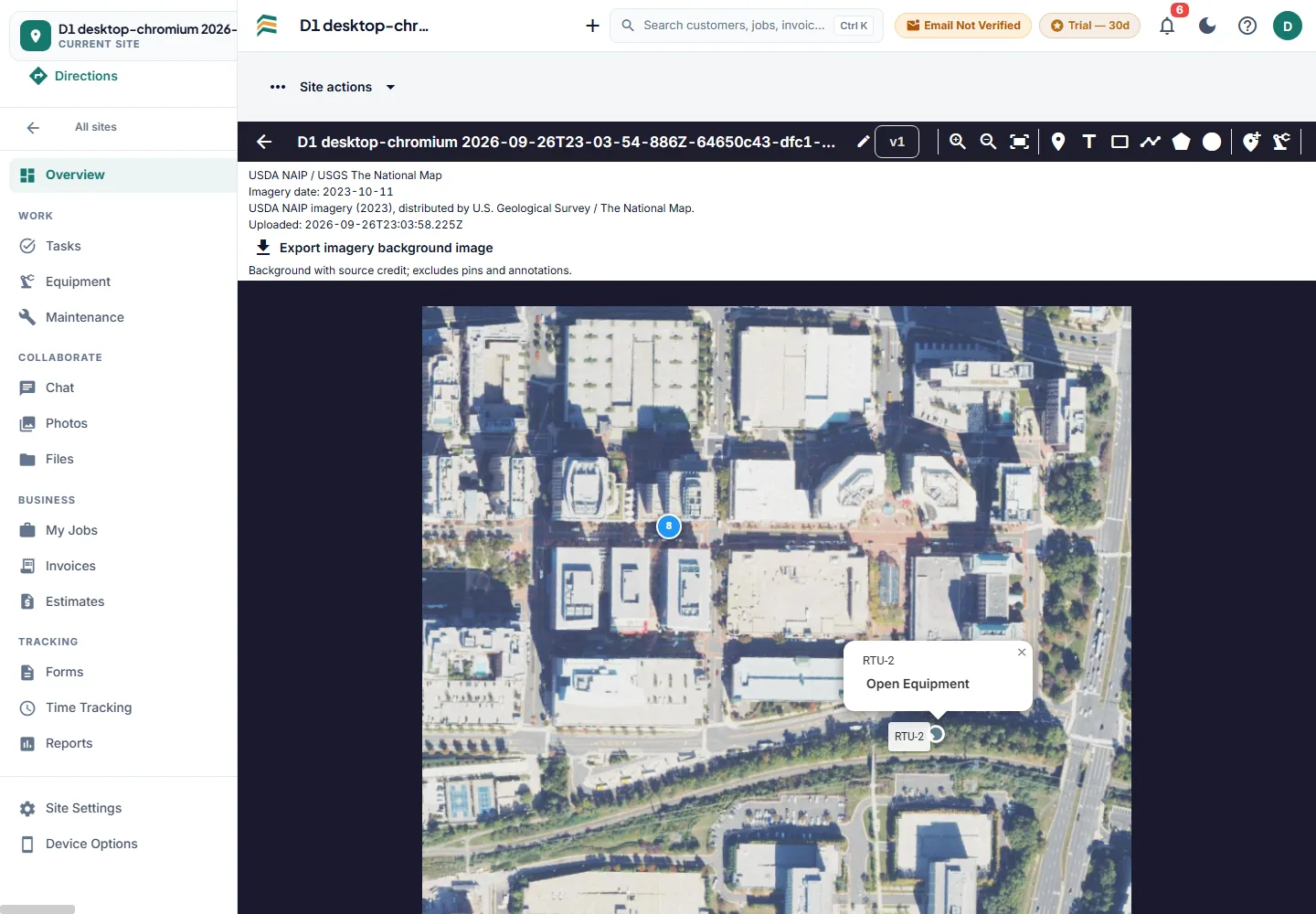
Upload a rights-authorized PNG or JPEG with its source and credit, then place task and equipment pins on the fixed image. Open the original task or equipment record from its pin; positions and associations remain after reload. PDF plans use the same viewer and revision history.
The example below uses USDA NAIP aerial imagery distributed by USGS / The National Map, acquired October 11, 2023. Configured USGS NAIP acquisition covers regional aerial imagery; it is not global satellite coverage. Rights-authorized satellite image uploads are supported separately.
Upload PDF, PNG or JPEG up to 100 MiB. DWF/DWFx needs a licensed, verified converter and is currently unavailable. Naming suggestions can be reviewed and corrected; scanned-sheet OCR needs a configured engine. Prepare current ready drawings with Download files while connected. Prepared browser/PWA viewing and task/checklist edits work offline; annotation edits, photo uploads and historical-raster offline availability are outside this verified workflow.
Every site carries its own tasks, drawings and conversation, so a punch list, a commissioning run or a multi-week install sits beside the service history instead of in a spreadsheet.
There is no Gantt-style timeline or critical-path scheduling. The portfolio shows where each site stands; it does not plan the sequence of work.
A customer who knows when you are coming does not call to ask. Reminders go out before the visit, the tracking link goes out when the van leaves, and a reply comes back to a shared inbox the whole office can see — not to one technician's personal phone.
Texting runs on the business phone option: $19 per month for each phone line plus $2.50 per month for each number, so a first line with one number is $21.50. Carriers require each business to text from its own registered number. Automatic texts are included from Pro; two-way texting and the shared inbox are on Unlimited.
Northline Mechanical: Your visit for 'Rooftop unit - no cooling' at 18 Bayfield Rd is booked for Thu, Sep 25, 8:00-10:00 AM.
Northline Mechanical: a reminder that 'Rooftop unit - no cooling' at 18 Bayfield Rd is booked for Thu, Sep 25, 8:00-10:00 AM. Please confirm or ask to reschedule: servicerunner.app/c/4QK2
Confirmed — someone will be on site to let you up.
Northline Mechanical: thank you for confirming 'Rooftop unit - no cooling' on Thu, Sep 25. We'll see you then.
Northline Mechanical: Luis is on the way to 18 Bayfield Rd for 'Rooftop unit - no cooling'. ETA about 25-40 minutes. Track your technician: servicerunner.app/t/4QK2
The front office has its own tools, so an inquiry does not live in someone's inbox and an unpaid invoice does not wait for a month-end review.
Estimates and service calls follow your plan: estimates are on Pro and Unlimited, and the dispatch board that carries service calls is too.
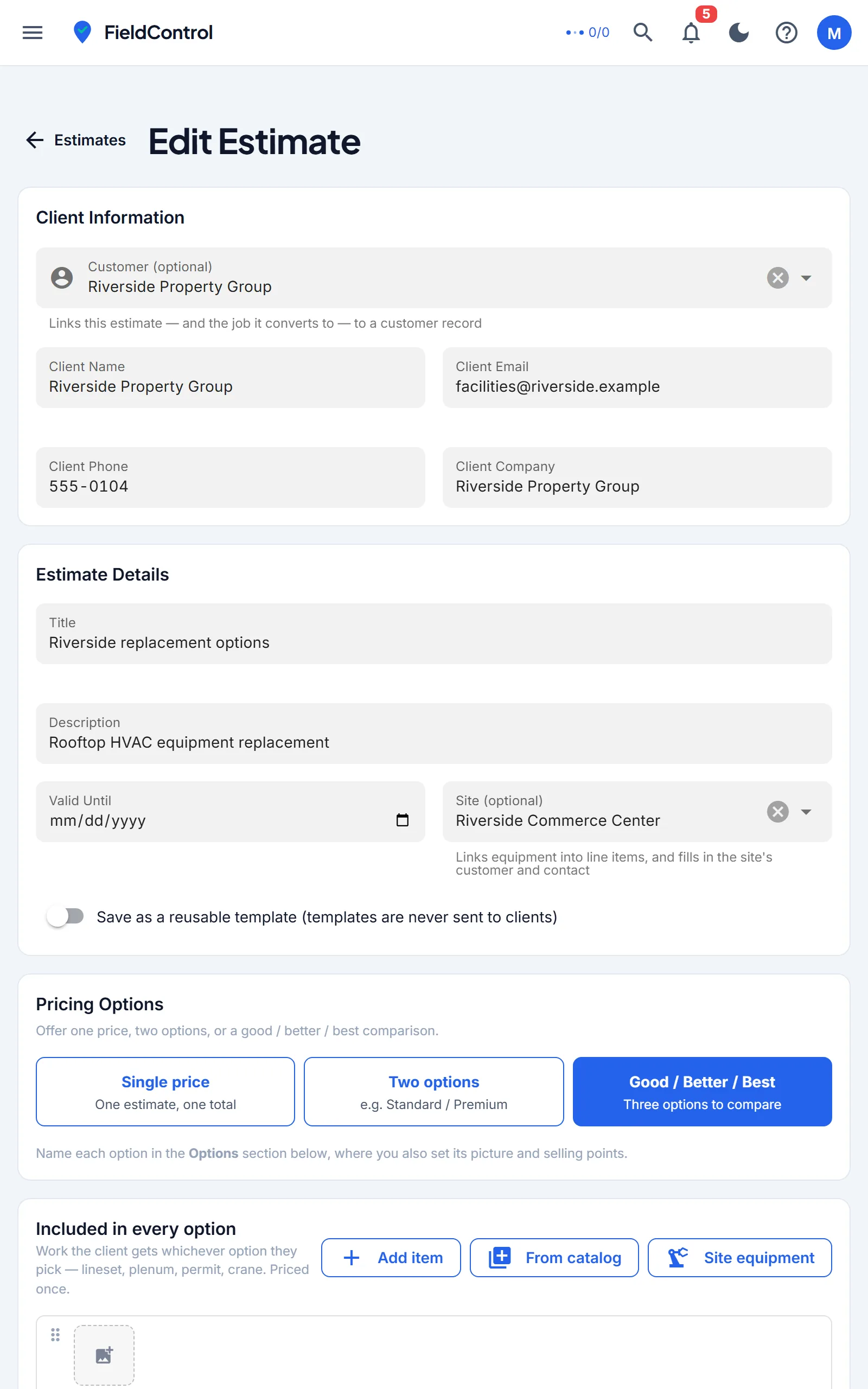
Build estimates with options and a price book behind them, send them for signature, and turn accepted work into an invoice from the job itself. Take a card, keep one on file, or let maintenance agreements bill themselves.
Card collection and QuickBooks each need their own provider connection before first use.
Job margin after labour, parts and truck stock. Technician scorecards built from the jobs they actually closed. And a report builder for the questions the standard reports do not answer.
Holiday and sick days are on the Unlimited plan, and are off until you switch them on.
See it on your own jobsOpen PDF, PNG and JPEG plans (up to 100 MiB), mark them up online, and link tasks and equipment to locations. Use Download files before leaving. DWF/DWFx requires a licensed, verified converter and is currently unavailable.
Equipment profiles, checklists and custom forms collect readings and photos, then print as a report the customer can keep.
iPhone, Android and the browser, on one account. The job, the equipment, the forms and the time in a pocket. Prepare supported records and current plan images while connected; task and checklist edits sync on reconnect.
Your own local number for calls and texts: answer and call from the browser, a menu and ring group for the office, voicemail with transcription, and the texts customers get.
Shop and truck stock, transfers, immediate refill, purchase orders, and material cost landed on the job.
After your invitation, name the business and add your first customer and site.
Booking hours, technician availability, and the maintenance that repeats.
Office staff and technicians get the roles and site access they need.
Check the payment account and the QuickBooks mapping before the first real invoice.
The whole list, grouped the way the app is. Anything marked with a plan is gated; anything marked optional is off until an administrator switches it on.
Book half an hour to see your own job end to end, or join the waitlist for an account invitation.